.svg)


When multiple engineers work on the same Terraform configuration, storing state files locally can become a major headache. Local files are prone to conflicts, accidental overwrites, and loss. That’s why Terraform backends exist—to store, manage, and secure your Terraform state in a central location.
For AWS teams, the S3 backend with DynamoDB locking is the industry-standard approach. It ensures that Terraform state is shared safely among multiple users while preventing concurrent operations that could corrupt your infrastructure.
This guide will walk you through why S3 is preferred, the prerequisites, detailed setup, common pitfalls, advanced configurations, CI/CD integrations, and how env zero can further enhance governance and automation.
Understanding Terraform Backends
A Terraform backend determines where state is stored and how operations are executed. Backends can be local (on your filesystem) or remote (S3, Terraform Cloud, GCS, etc.).
Remote backends are critical when:
- Multiple engineers collaborate on the same infrastructure.
- You need recovery and versioning for your state files.
- Compliance and auditing require centralized control.
- You want to enforce locks to prevent simultaneous state updates.
Among AWS teams, S3 is the go-to choice for storing remote state. Combined with DynamoDB, it supports state locking to prevent concurrent changes, which is crucial in team environments.
Why Terraform State Matters
Terraform relies on the state file to track resources it manages. The state file answers questions like:
- Which resources exist?
- What are the current configurations?
- What needs to be updated, created, or destroyed?
When state is stored locally:
- No shared visibility: Team members can’t see the latest state.
- High risk of conflicts: Two engineers may apply changes at the same time.
- Prone to loss: Local files may be deleted, corrupted, or outdated.
Storing the state in S3 with versioning solves these issues:
- Remote, centralized state accessible to all team members.
- Versioning enables recovery of previous states.
- DynamoDB locks ensure only one apply operation runs at a time.
- Works seamlessly with CI/CD pipelines.
Prerequisites for Terraform S3 Backend
Before configuring an S3 backend with DynamoDB locking, ensure you have:
- An AWS account with IAM permissions for S3 and DynamoDB.
- Terraform installed locally or on your CI/CD server.
- An S3 bucket for the Terraform state file. Enable versioning to support rollback.
- A DynamoDB table for state locking with a primary key named LockID.
- Optional: Server-side encryption using KMS for added security.
Step-by-Step Setup
1. Create an S3 Bucket
Create a dedicated bucket for Terraform state:
aws s3api create-bucket \
--bucket my-terraform-state-bucket \
--region us-east-1
Enable versioning:
aws s3api put-bucket-versioning \
--bucket my-terraform-state-bucket \
--versioning-configuration Status=Enabled
Enable encryption (optional but recommended):
aws s3api put-bucket-encryption \
--bucket my-terraform-state-bucket \
--server-side-encryption-configuration '{
"Rules": [{"ApplyServerSideEncryptionByDefault": {"SSEAlgorithm": "AES256"}}]
}'
2. Create a DynamoDB Table for Locking
Terraform uses this table to ensure only one operation runs at a time:
aws dynamodb create-table \
--table-name terraform-locks \
--attribute-definitions AttributeName=LockID,AttributeType=S \
--key-schema AttributeName=LockID,KeyType=HASH \
--billing-mode PAY_PER_REQUEST
3. Configure Terraform Backend
Define the S3 backend in your Terraform configuration:
terraform {
backend "s3" {
bucket = "my-terraform-state-bucket"
key = "global/s3/terraform.tfstate"
region = "us-east-1"
dynamodb_table = "terraform-locks"
encrypt = true
}
}
Key details:
- bucket: The S3 bucket storing your state file.
- key: Path inside the bucket for state files.
- region: AWS region of the bucket.
- dynamodb_table: DynamoDB table used for locking.
- encrypt: Ensures encryption at rest.
4. Initialize Terraform
Run initialization to connect to the backend:
terraform init
This will migrate your state (if needed) and configure Terraform to use the S3 backend.
5. Workspace-Based Isolation
If you manage multiple environments (dev, staging, prod), use Terraform workspaces:
terraform {
backend "s3" {
bucket = "my-terraform-state-bucket"
key = "envs/${terraform.workspace}/terraform.tfstate"
region = "us-east-1"
dynamodb_table = "terraform-locks"
encrypt = true
}
}
Each workspace gets its own state file, preventing cross-environment conflicts.
Advanced Configuration Tips
- Cross-account access: Grant IAM roles permission to the S3 bucket for multiple AWS accounts.
- Server-side KMS encryption: Use KMS for stricter security.
- Lifecycle rules for S3: Automatically archive or delete old state versions to save storage.
- Logging and monitoring: Enable S3 access logs and CloudTrail to track changes.
Common Mistakes & Pitfalls
- Bucket or region mismatch: Make sure the bucket exists in the correct region.
- IAM permission issues: Users need s3:GetObject, s3:PutObject, and DynamoDB permissions.
- Incorrect DynamoDB table key: Must be LockID.
- State migration issues: Always back up local state before migrating.
- Unstable key names for workspace files: Avoid dynamically changing paths that may break Terraform state linking.
Integrating S3 Backend in CI/CD Pipelines
S3 backend enables automated Terraform workflows:
- Jenkins, GitHub Actions, GitLab CI, or CircleCI can pull state from S3.
- Only one apply runs at a time thanks to DynamoDB locking.
- Pipeline stages can review the plan before apply, ensuring governance.
- Multiple developers and environments share the same backend safely.
Real-World Multi-Account & Multi-Region Setup
For organizations with multiple AWS accounts:
terraform {
backend "s3" {
bucket = "terraform-state-prod"
key = "us-east-1/prod/terraform.tfstate"
region = "us-east-1"
dynamodb_table = "terraform-locks"
encrypt = true
}
}
- One bucket per environment or per AWS account.
- Each region can have its own state file for disaster recovery and isolation.
- DynamoDB tables can be shared or separate depending on concurrency needs.
env zero Governance Integration
S3 backend provides safety, but as your team scales, additional governance is critical:
- Plan approval workflows: env zero ensures Terraform plans are reviewed before apply.
- RBAC controls: Only authorized engineers can modify state.
- Drift detection: env zero alerts when infrastructure changes outside Terraform.
- Cost monitoring & compliance: Helps track multi-account spending.
- Automation layer: Keeps your existing Terraform configurations while enforcing governance.
For dynamic, multi-team setups, env zero ensures that S3 backend state changes are predictable, auditable, and secure.
Summary
Using an S3 backend with DynamoDB locking is essential for AWS teams running Terraform at scale. It provides:
- Centralized, versioned, and encrypted state storage.
- Safe collaborative workflows with DynamoDB locks.
- Environment isolation through workspaces or structured keys.
- Integration into CI/CD pipelines.
- Optional advanced security with KMS and logging.
Combined with env zero, Terraform S3 backends become even more powerful, adding governance, approval workflows, drift detection, and RBAC to keep infrastructure safe, compliant, and scalable.
By adopting S3 backends with proper locking and governance, teams can reduce state conflicts, ensure reproducibility, and focus on delivering cloud infrastructure efficiently, rather than managing state files manually.

Related Content
IaC Self-Service Enablement Guide: Templates, Guardrails, and Golden Paths for Developer Teams
OpenTofu Adoption Guide: State Encryption, Provider for_each, and Features Terraform Doesn't Have
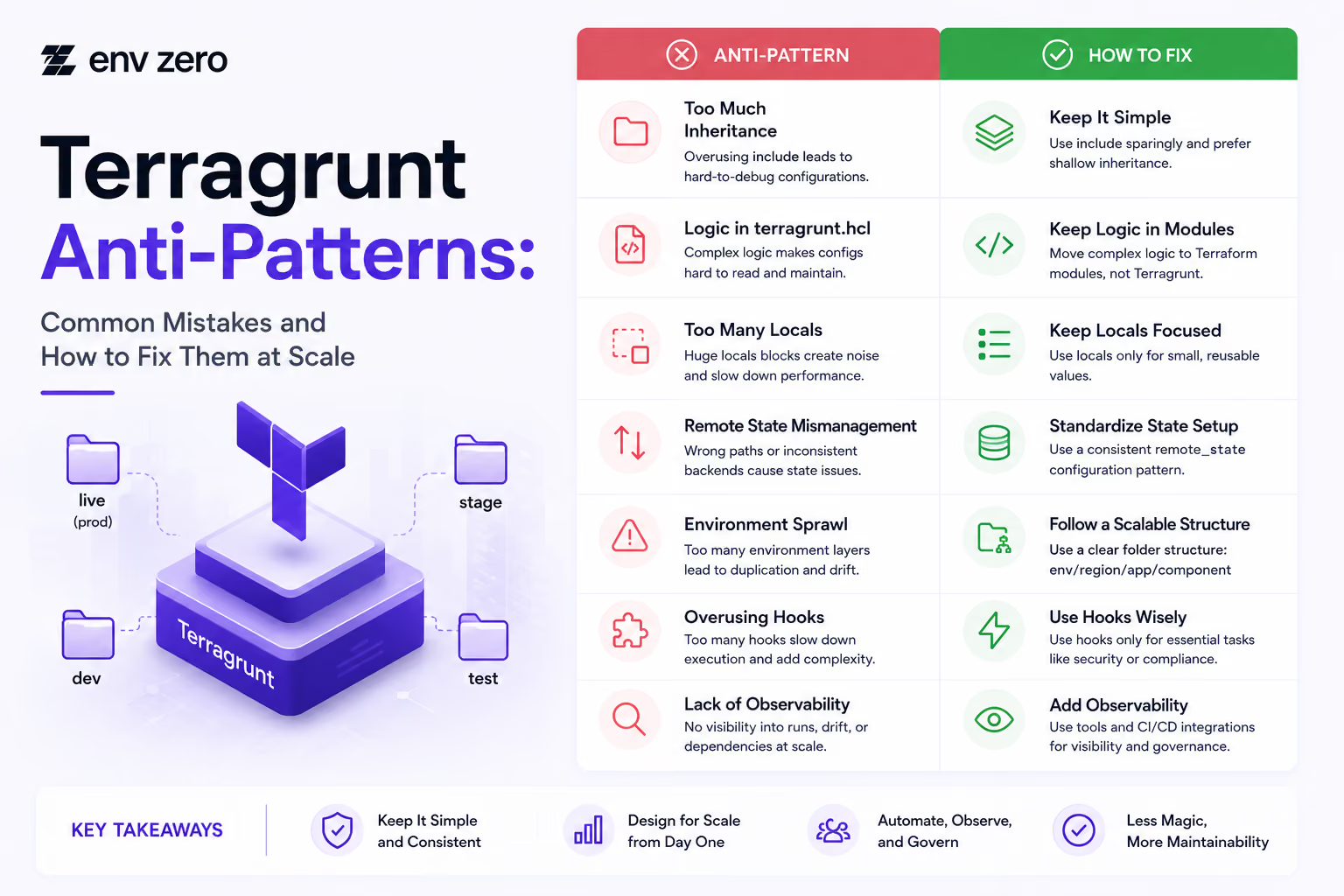
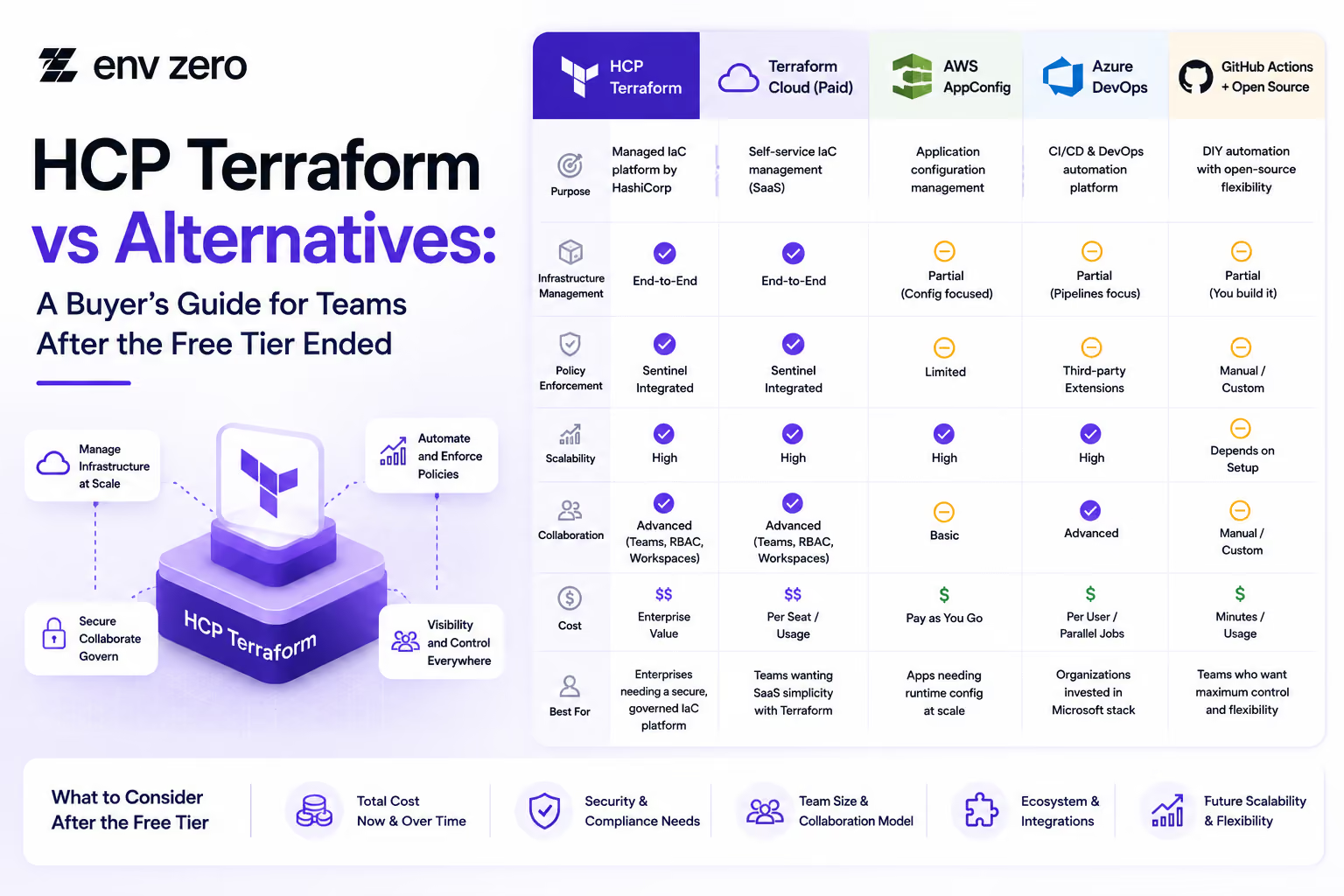

How to Install Terragrunt and Set Up Your First Multi-Environment Project (2026 Edition)
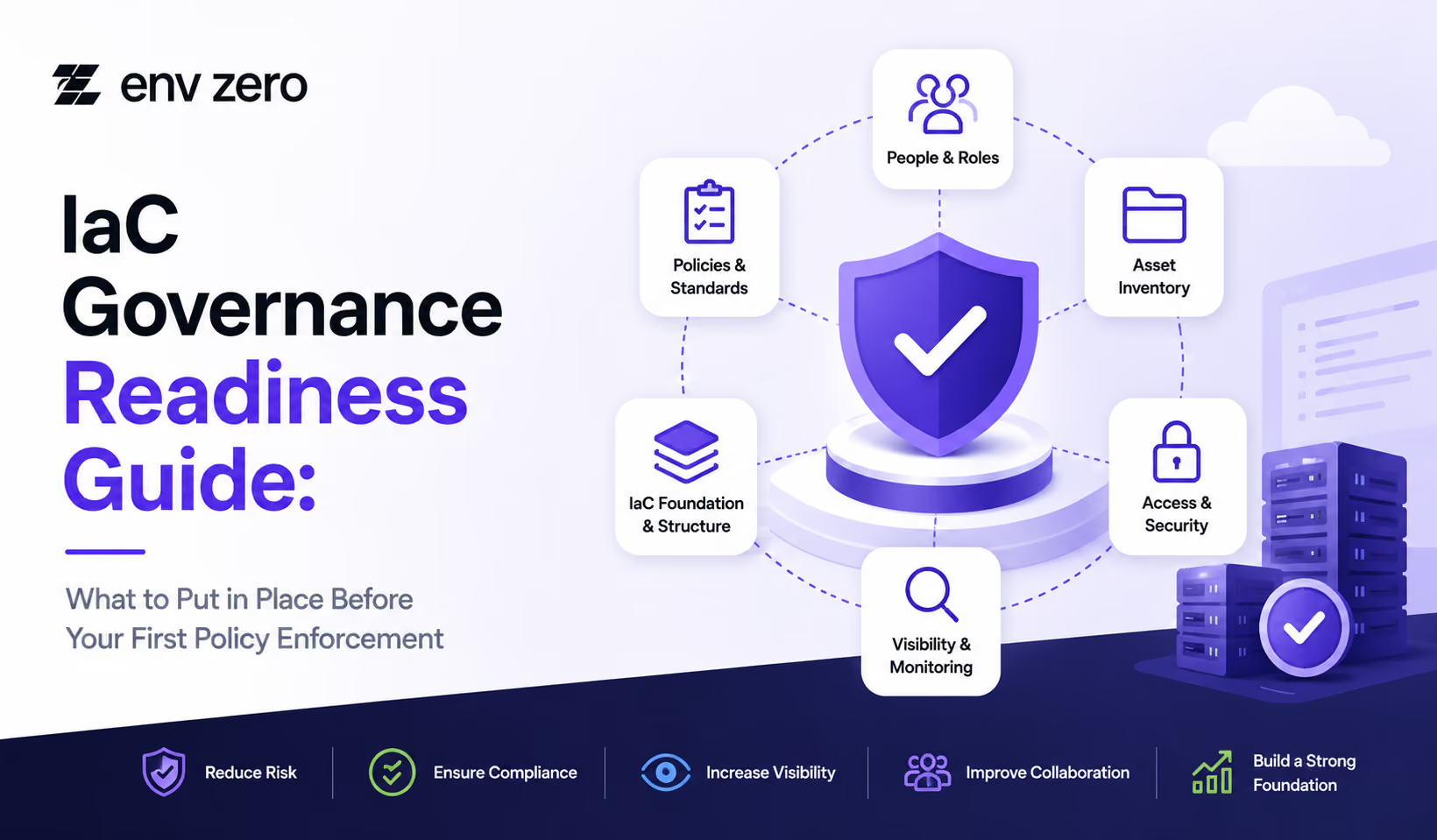
IaC Governance Readiness Guide: What to Put in Place Before Your First Policy Enforcement
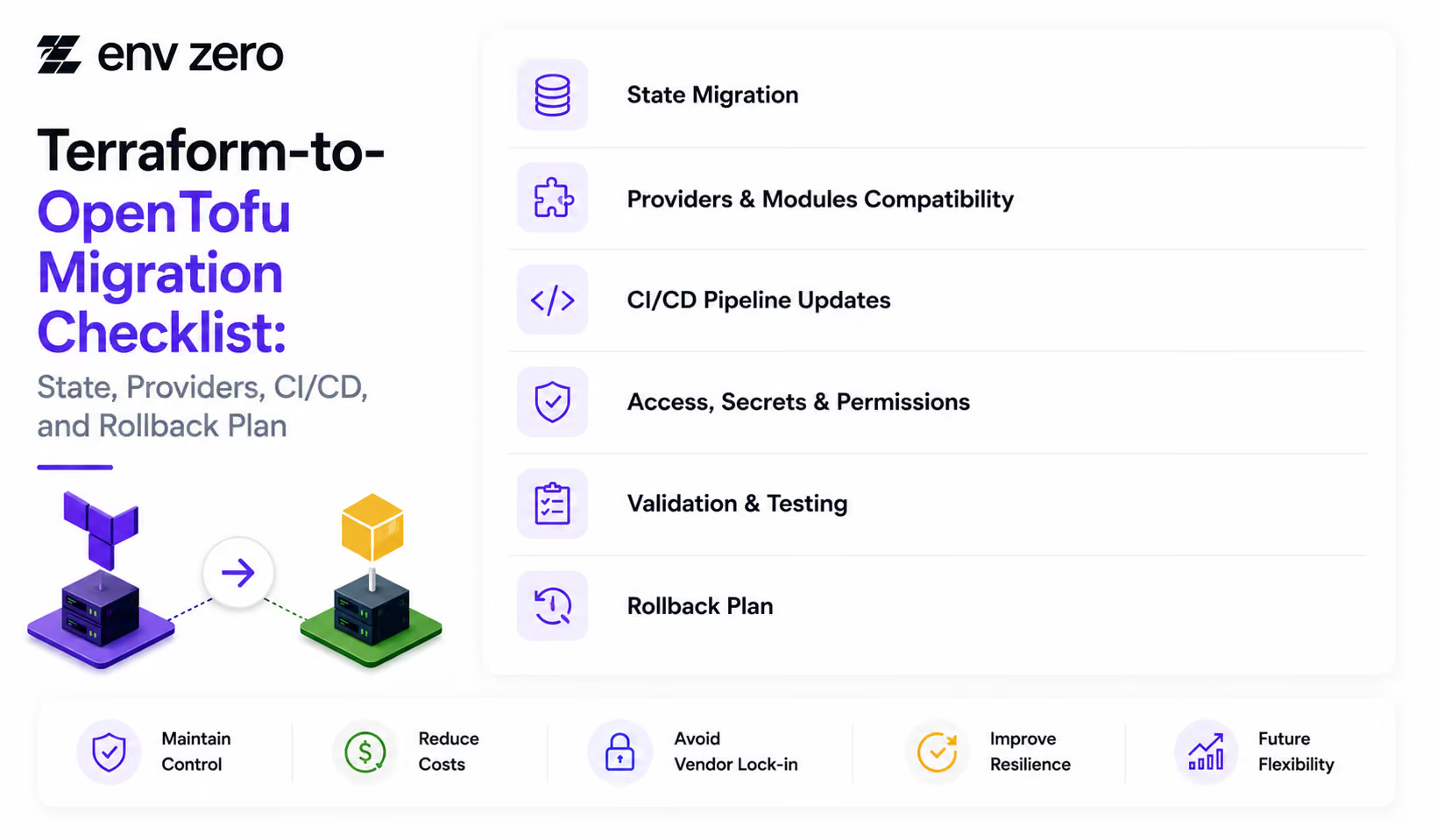
Terraform-to-OpenTofu Migration Checklist: State, Providers, CI/CD, and Rollback Plan








Audit Trail Setup Guide: Maintaining Compliance and Security Across Your Infrastructure


Pipeline Visibility Checklist: Ensuring Full Transparency Across Deployment Workflows

Rollback Readiness Checklist: Ensuring Fast and Reliable Recovery Across Environments
Deployment Automation Checklist: Ensuring Consistent and Reliable Infrastructure Delivery