.svg)


Infrastructure drift occurs when deployed resources no longer match the approved configuration, infrastructure code, or governance standards originally defined for an environment. For the full breakdown of what drift risk is, why it becomes more dangerous in governed environments, and its business impact, see Drift Risk in Governed Environments.
A drift risk detection framework is the structured model for what to do about it: how organizations identify where drift occurs, prioritize it by severity, and remediate it before it becomes a security, compliance, or operational problem. It gives platform, security, operations, and compliance teams a repeatable process rather than a one-time cleanup.
What a Drift Risk Detection Framework Should Include
Catching drift itself is the easy part. The harder part is building out everything around drift detection:
- Approved infrastructure baselines
- Continuous monitoring for drift
- Severity classification
- Ownership and accountability
- Escalation workflows
- Remediation processes
- Reporting and auditability
- Exception handling rules
Without these controls, drift can spread across environments without being noticed.
The Core Components of a Drift Risk Detection Framework
Define the Approved Baseline
Organizations must first define what the correct environment should look like.
Baselines may include:
- Infrastructure as code templates
- Approved network configurations
- Identity and access rules
- Security settings
- Resource sizing standards
- Tagging requirements
- Compliance controls
Without a baseline, teams cannot reliably identify drift.
Monitor for Manual Changes
Manual changes are one of the most common causes of drift.
Organizations should monitor:
- Direct changes in cloud consoles
- Unapproved production updates
- Changes made outside deployment pipelines
- Manual access modifications
- Network rule changes
- Temporary fixes applied during incidents
Manual changes should be reviewed quickly to determine whether they should be reversed, documented, or added to the approved baseline.
Compare Code to Live Environments
Organizations should regularly compare deployed environments to the infrastructure code used to create them.
This may include:
- Terraform configurations
- CloudFormation templates
- Kubernetes manifests
- Access policies
- Environment-specific settings
Differences between code and live environments often indicate drift.
Classify Drift by Severity
Not all drift creates the same level of risk.
Organizations should classify drift based on impact.
Examples may include:
- Low severity for missing tags or documentation gaps
- Medium severity for environment inconsistencies or outdated templates
- High severity for production configuration changes or access control drift
- Critical severity for security violations, compliance gaps, or major network changes
Severity levels help teams prioritize remediation.
Identify the Root Cause of Drift
Drift often happens because of process gaps.
Organizations should review:
- Manual changes outside approved workflows
- Missing approval controls
- Weak change management practices
- Delayed infrastructure updates
- Lack of automation
- Unclear ownership
Understanding the root cause helps organizations reduce repeat drift issues.
Define Ownership and Accountability
Every drift issue should have a clear owner.
Ownership should define:
- Which team is responsible for remediation
- Who reviews the change
- Who decides whether the change should remain
- Who updates the baseline if needed
- Who tracks unresolved drift
Without ownership, drift often remains unresolved.
Create Escalation Rules for High-Risk Drift
Some types of drift require immediate escalation.
Examples include:
- Production security changes
- Identity and access modifications
- Unapproved network changes
- Compliance-related drift
- Shared environment configuration changes
Organizations should define when drift issues move from team-level review to security, platform, or executive escalation.
Build Remediation Into Daily Workflows
Drift detection is only valuable if organizations take action.
Remediation workflows may include:
- Reverting manual changes
- Updating infrastructure code
- Reapplying approved templates
- Closing temporary exceptions
- Improving change management processes
Drift remediation should be part of regular operational workflows rather than a one-time cleanup activity.
Track Drift Trends Over Time
Organizations should review drift trends regularly.
Useful metrics may include:
- Number of drift incidents by team
- Most common types of drift
- Average remediation time
- Frequency of manual changes
- Number of unresolved drift issues
- Repeat drift patterns in production environments
Trend analysis helps organizations identify where governance improvements are needed.
Common Drift Risk Challenges
Drift most often creeps in through manual changes made during incidents or urgent deployments.
Another common challenge is relying too heavily on documentation instead of automation. Documentation may describe the intended state, but automated comparisons are often needed to identify real drift.
Organizations also often fail to review lower-risk drift issues. Small inconsistencies may seem harmless, but they can grow into larger operational problems over time.
In some cases, teams may intentionally leave temporary fixes in place without updating infrastructure code, creating long-term inconsistencies.
Finally, many organizations lack visibility into which teams or environments generate the most drift.
Best Practices for Reducing Drift Risk
Keeping drift under control long-term relies on a few consistent habits.
Use Infrastructure as Code Consistently
Infrastructure as code creates a clear baseline for comparison and reduces manual changes.
Limit Direct Production Access
Reducing direct access to production environments helps minimize unapproved changes.
Use Automation for Drift Detection
Automated monitoring can identify differences between approved configurations and deployed environments more quickly.
Review Drift Frequently
Regular reviews help teams identify small issues before they become larger risks.
Improve Change Management Processes
Stronger approval workflows, deployment standards, and documentation reduce the likelihood of unmanaged changes.
Conclusion
A drift risk detection framework helps organizations maintain more consistent, secure, and reliable cloud environments.
It provides a structured model for identifying differences between approved configurations and live infrastructure.
For organizations focused on cloud governance and risk management, drift detection is essential for reducing operational risk, strengthening compliance, and improving deployment consistency.
The goal is not to eliminate every change. The goal is to ensure that changes are visible, approved, and aligned with the intended state of the environment.
Drift is one specific risk type inside a larger risk picture — see Cloud Risk Framework for how it fits alongside security, compliance, and operational risk. For how drift detection fits into the broader governance model, see Cloud Governance Framework.
FAQs
Why is drift risk important?
Drift risk is important because unmanaged changes can create security gaps, compliance issues, operational failures, and deployment inconsistencies.
What causes infrastructure drift?
Infrastructure drift is often caused by manual changes, temporary fixes, direct production updates, missing approvals, and inconsistent change management.
How can organizations detect drift?
Organizations can detect drift by comparing live environments to infrastructure code, monitoring manual changes, and using automated detection tools.
How can teams reduce drift risk?
Teams can reduce drift risk by using infrastructure as code, limiting manual changes, improving approvals, and reviewing environments regularly.

Related Content
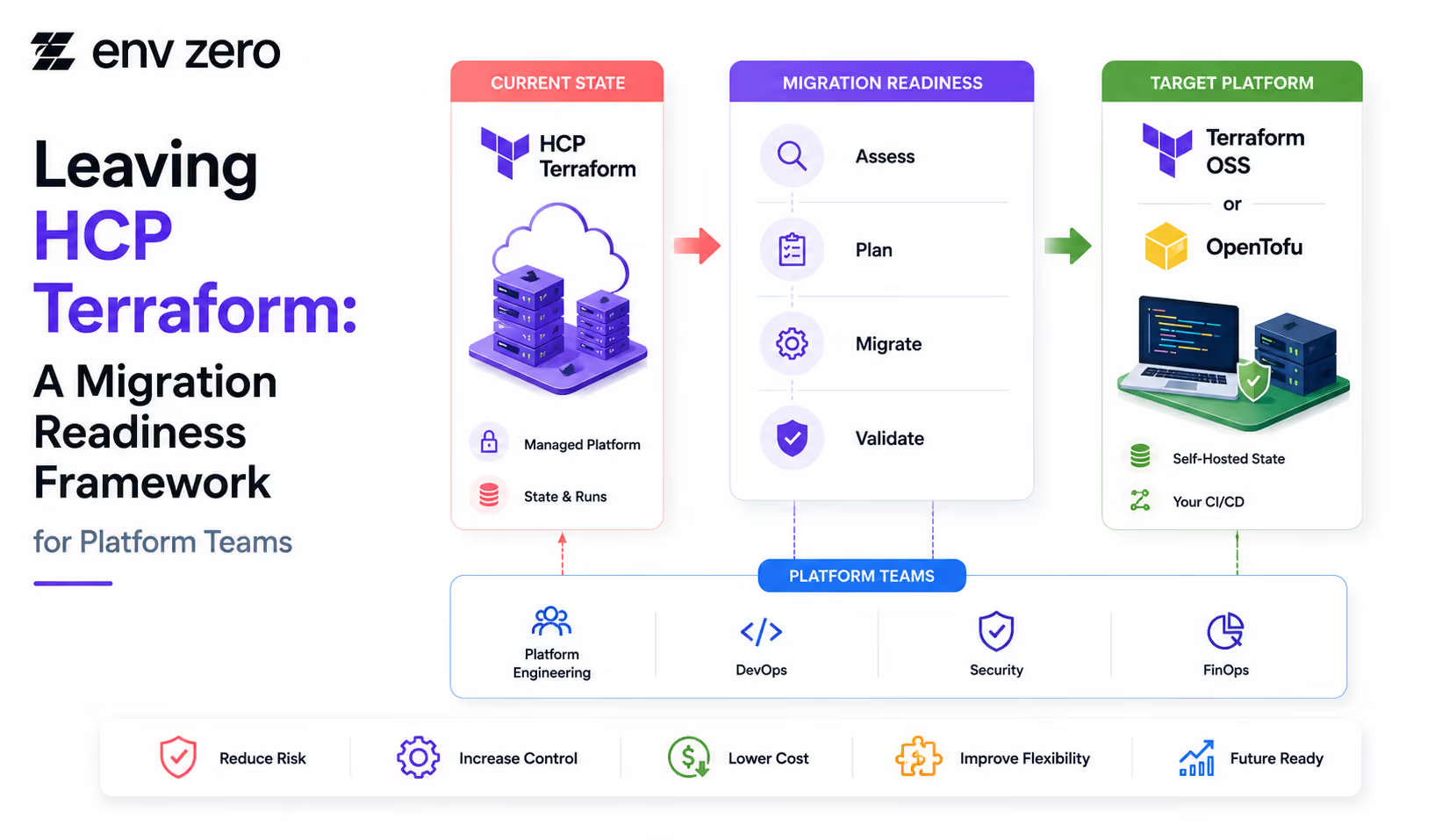

Pulumi vs Terraform vs OpenTofu: A Decision Framework Based on Team Type, Scale, and License Risk


Terragrunt Directory Structure Framework: DRY Configs Across Dev, Staging, and Prod
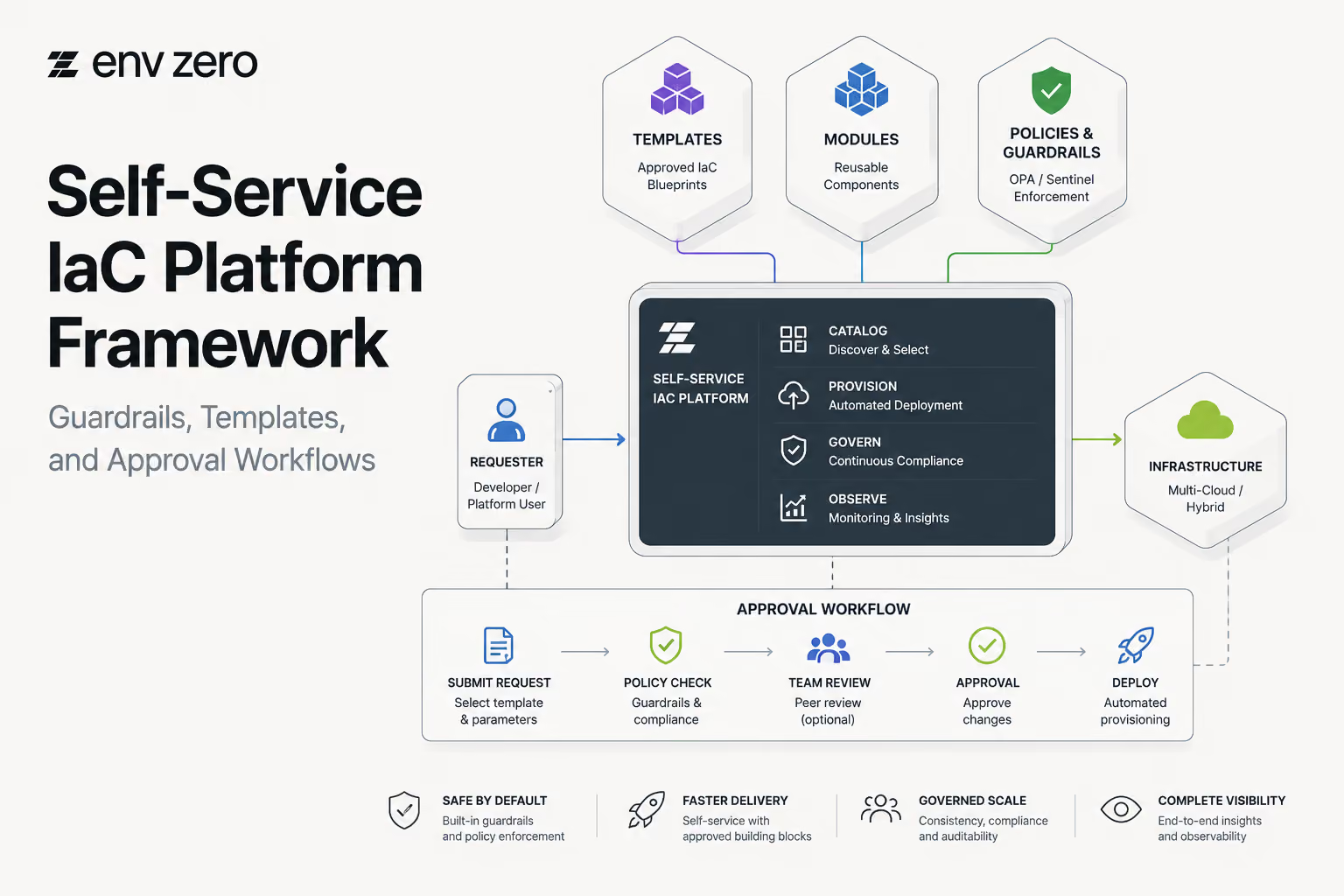
Self-Service IaC Platform Framework: Guardrails, Templates, and Approval Workflows
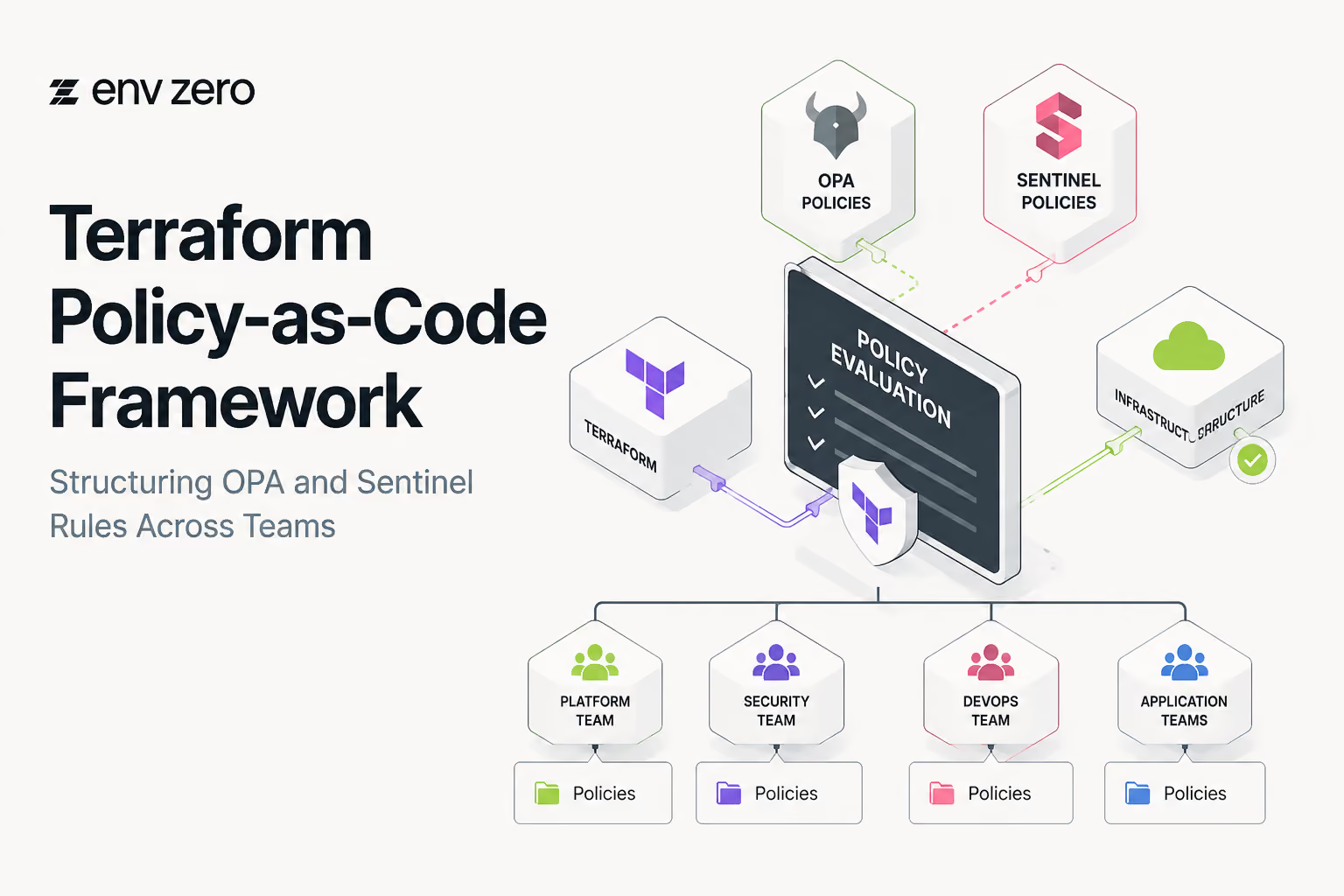
Terraform Policy-as-Code Framework: Structuring OPA and Sentinel Rules Across Teams
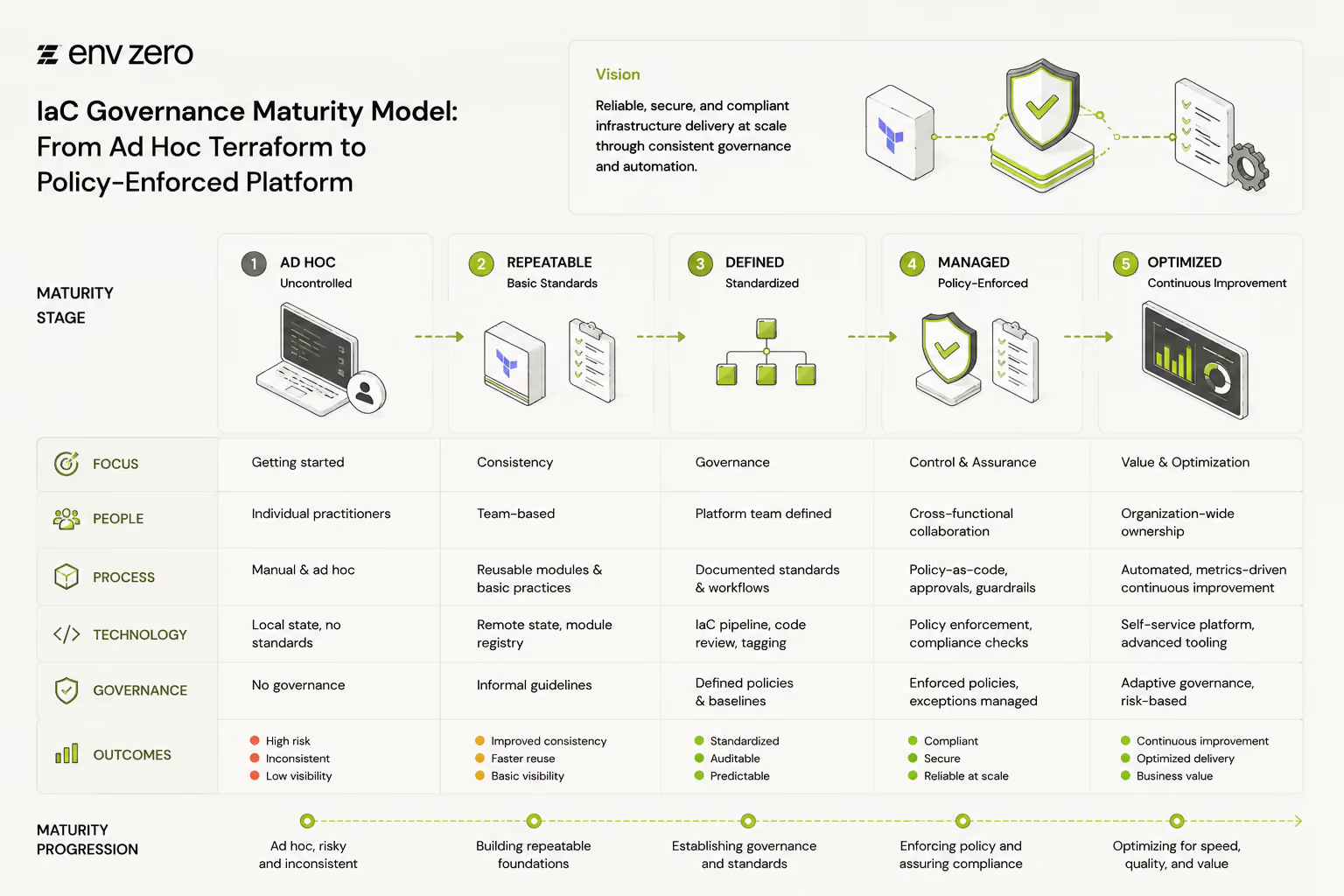
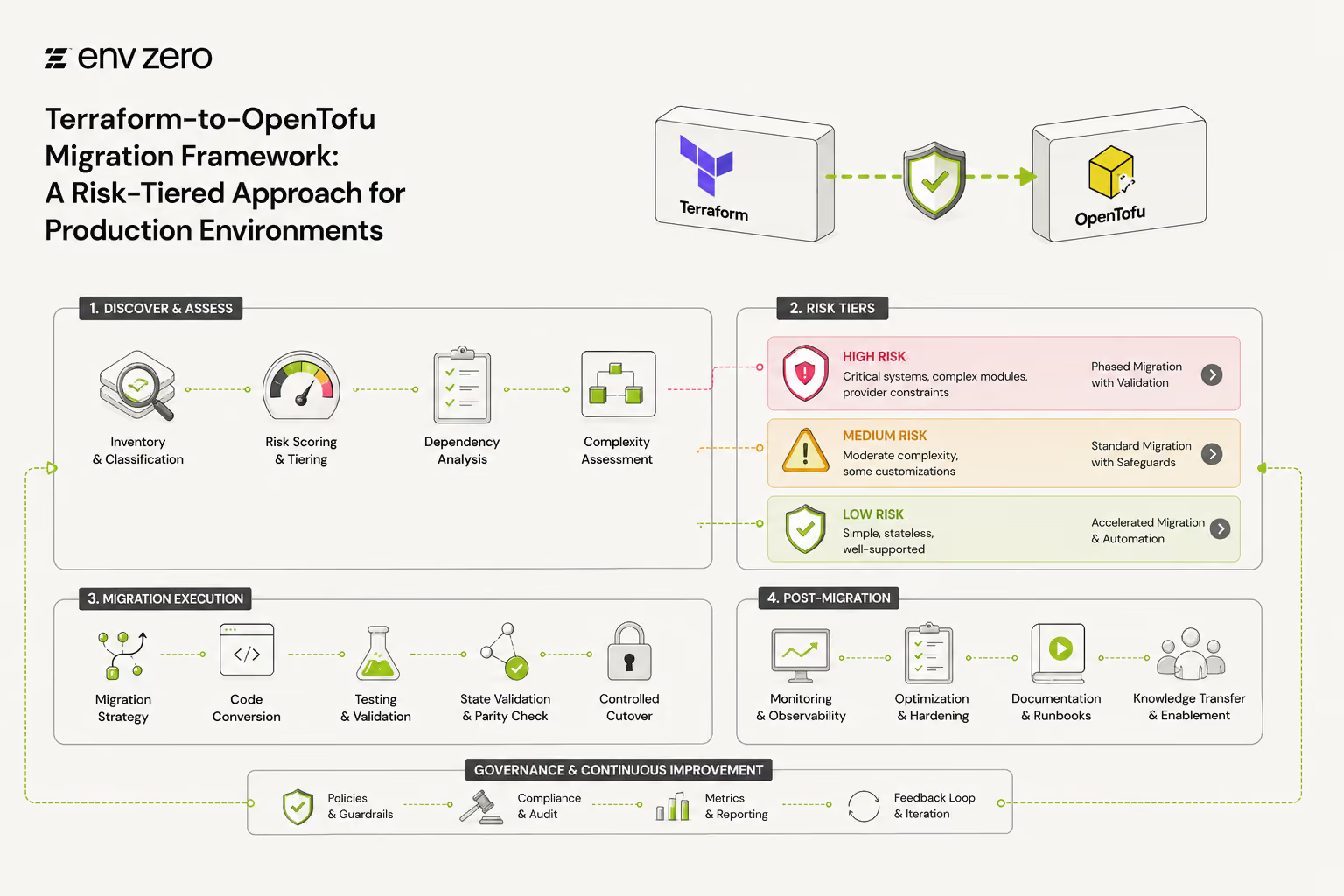
Terraform-to-OpenTofu Migration Framework: A Risk-Tiered Approach for Production Environments






Enterprise Release Control Model: Structuring Secure and Scalable Deployment Workflows
Policy Checkpoint Framework: Enforcing Consistent and Scalable Governance Across Deployments

Audit Trail Governance Framework: Ensuring Transparency, Compliance, and Accountability Across Infrastructure
Release Governance Framework: Structuring Controlled and Compliant Infrastructure Releases

Environment Drift Detection Model: Maintaining Consistency Across Infrastructure Environments
Pipeline Visibility Framework: Structuring Transparent and Controlled Deployment Workflows