.svg)


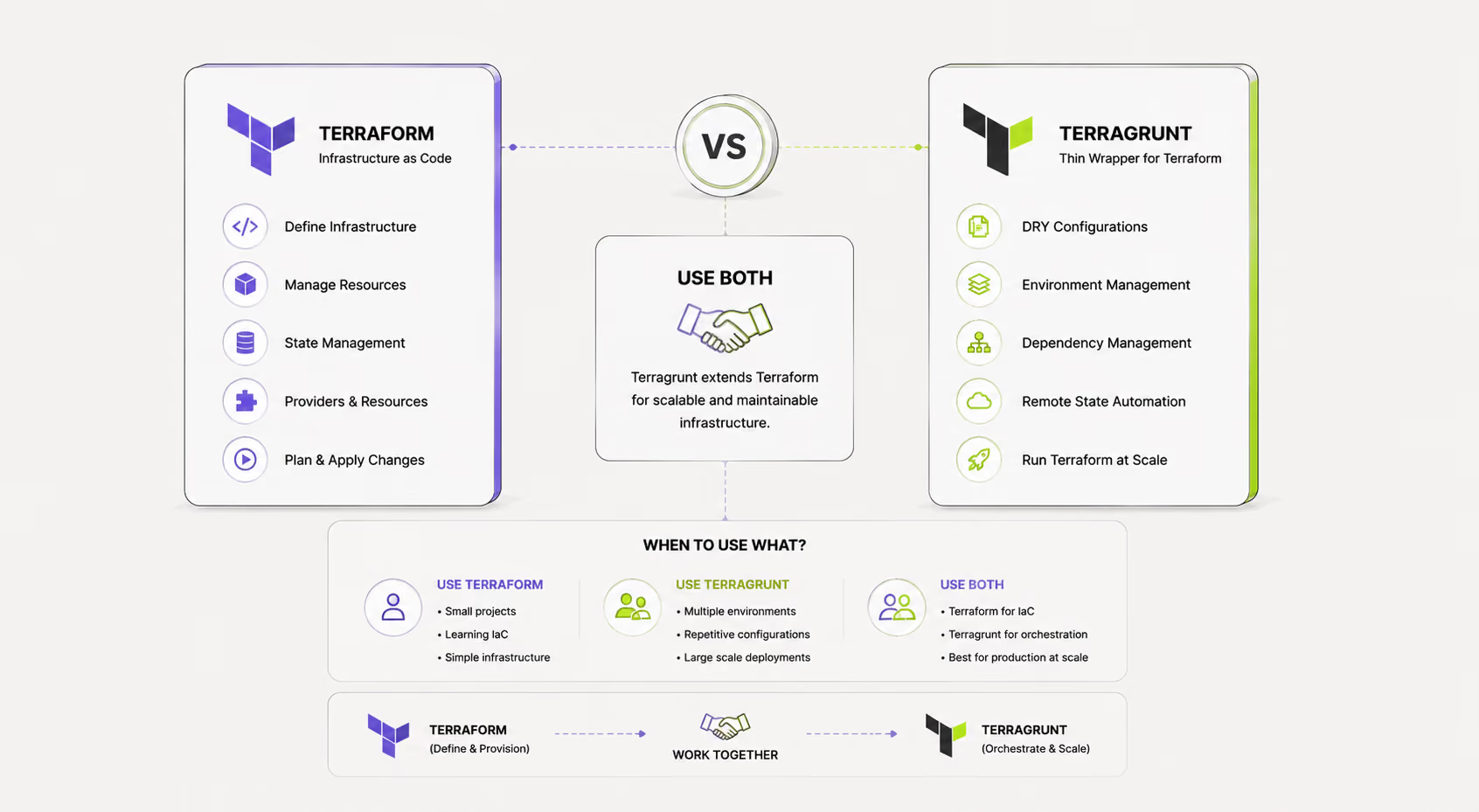
Managing infrastructure across multiple Terraform modules quickly becomes complex. Terragrunt's dependency system solves this by letting modules share outputs, enforcing apply order, and keeping your stack DRY. This guide covers everything teams need to know — from basic wiring to advanced mocking strategies.
What Is a Terragrunt Dependency?
A dependency in Terragrunt is a declared relationship between two terragrunt.hcl files that tells Terragrunt:
- Which module to run first — the dependency must be applied before the dependent module.
- Which outputs to expose — the dependent module can read output values from the dependency.
This mirrors how Terraform modules pass values to one another, but works across separate state files and directories — a common pattern in large-scale infrastructure where VPCs, databases, and applications live in separate modules.
A Minimal Example
When you run terragrunt apply inside modules/app/, Terragrunt will:
- Detect the vpc dependency
- Read the Terraform state of ../vpc to fetch its outputs
- Inject those outputs as inputs into the current module
dependency vs dependencies: What's the Difference?
These two blocks are often confused but serve distinct purposes.
dependency block
Use dependency when you need to pass outputs from one module to another:
dependencies block
Use dependencies when you need to enforce ordering but don't need any output values:
This is useful for modules that must exist before others (e.g., IAM roles, KMS keys) but whose outputs you don't directly consume.
Rule of thumb: Use dependency when you need values. Use dependencies when you only need sequencing.
How run_all Determines Apply Order
When you run terragrunt run-all apply from a root directory, Terragrunt builds a directed acyclic graph (DAG) of all modules based on their dependency and dependencies declarations.
How it works
- Terragrunt scans all subdirectories for terragrunt.hcl files.
- It resolves each module's declared dependencies into a graph.
- Modules with no dependencies (leaf nodes) are applied first, in parallel where possible.
- Dependent modules are applied only after all their dependencies complete successfully.
Example stack
With this structure, run-all apply will:
- Apply vpc first
- Apply rds and ecs-cluster in parallel (both depend only on vpc)
- Apply app last (depends on both)
Running in the right order manually
If you apply modules one by one, you must follow dependency order yourself. Terragrunt will error if a dependency hasn't been applied yet and its outputs are unavailable — unless you configure mocking (see below).
Accessing Dependency Outputs
Once a dependency is declared, its outputs are available via dependency.<name>.outputs.<output_name>.
The output names must match exactly what is declared in the dependency module's outputs.tf. Terragrunt fetches these from the remote state of the dependency, not by running Terraform again.
Outputs from nested attributes
If an output is a map or object, you can access nested values using standard HCL expressions:
Mocking Dependencies in Tests
When running terragrunt plan in CI, validating new modules, or working offline, you often don't want Terragrunt to actually fetch remote state. Mock outputs solve this.
Basic mock configuration
With mock_outputs defined, if Terragrunt cannot read the dependency's state (e.g., it hasn't been applied yet), it falls back to the mock values.
Controlling when mocks are used
Use mock_outputs_allowed_terraform_commands to restrict mocks to specific commands:
This ensures mocks are only used during plan and validate, never during apply — preventing accidental deploys with fake values.
mock_outputs_merge_strategy_with_state
When a dependency has been partially applied, you may want to merge real outputs with mocks for any missing keys:
Valid strategies: no_merge (default), shallow, deep.
Does Terragrunt Support OpenTofu?
Yes. Terragrunt fully supports OpenTofu as a drop-in replacement for Terraform. OpenTofu is the open-source fork of Terraform maintained by the Linux Foundation, and Terragrunt is engine-agnostic.
Configuring Terragrunt to use OpenTofu
In your root terragrunt.hcl, set the terraform_binary option:
All dependency, dependencies, and run-all features work identically with OpenTofu. Terragrunt detects the binary in use and adapts accordingly. Teams migrating from Terraform to OpenTofu can switch the binary without changing any terragrunt.hcl dependency configuration.
Common Dependency Errors and How to Fix Them
Error: Could not read outputs
Error: Could not read outputs from module ../vpc:
...the state file does not exist
Cause: The dependency module hasn't been applied yet.
Fix: Apply the dependency first (cd ../vpc && terragrunt apply), or add mock outputs for plan/validate stages.
Error: Cycle detected
Error: Cycle detected in dependency graph
Cause: Module A depends on Module B, and Module B depends on Module A (directly or transitively).
Fix: Restructure your modules to remove the circular dependency. Extract shared outputs into a separate "foundation" module that both A and B depend on.
Error: Output does not exist
Error: Output "subnet_ids" does not exist in module ../vpc
Cause: The output name in your dependency block doesn't match the actual output name in the dependency's outputs.tf.
Fix: Check the exact output names in the dependency's Terraform configuration and update your dependency block accordingly.
Error: dependency config_path not found
Error: Config file not found at path ../shared/vpc/terragrunt.hcl
Cause: The config_path in your dependency block points to a non-existent directory or the terragrunt.hcl file is missing.
Fix: Verify the relative path is correct from the current module's location, and confirm a terragrunt.hcl exists at the target path.
Best Practices for Terragrunt Dependencies
1. Keep dependency graphs shallow
Deep chains (A → B → C → D → E) slow down run-all and make failures hard to trace. Aim for 2–3 levels of depth in most stacks. Flatten where possible by combining tightly coupled modules.
2. Always define mock outputs for CI
Every dependency block used in a module that runs plan in CI should have mock_outputs and mock_outputs_allowed_terraform_commands = ["validate", "plan"]. This prevents CI pipelines from failing when lower-level infrastructure hasn't been applied in the target environment yet.
3. Use dependencies for non-output ordering
Don't create fake outputs just to enforce ordering. If a module like iam-roles doesn't expose outputs you need, use the dependencies block — it's clearer and avoids confusion about what data is being shared.
4. Co-locate related modules in a stack directory
Organize your repository so that modules that depend on each other are close in the directory tree. This makes config_path references short and readable, and makes run-all commands predictable when run from a stack root.
5. Version-pin your dependency modules
When depending on a shared module (e.g., from a central infra-modules repo), pin to a specific version or git ref in your source block. This prevents unexpected breakage when shared modules change.
6. Validate dependency outputs explicitly
If your module requires specific outputs, add validation in the consuming module's variable definitions (with validation blocks in Terraform) rather than relying on silent nulls or type errors at apply time.
7. Document dependency intent
Add a comment above each dependency block explaining why it exists, not just what it points to:
Summary
Terragrunt's dependency system is one of its most powerful features for managing real-world infrastructure. By understanding the difference between dependency and dependencies, how run-all builds its execution graph, and how to safely mock outputs in non-production stages, teams can build reliable, maintainable multi-module stacks.

.avif)