
.svg)

Hello, envzero and Terragrunt fans alike! It’s new-feature-day, yet again! But this time, we have something really special for you. We’re giving you the ability to completely change the game on the Infrastructure as Code files that you use to deploy and manage environments with our platform! Introducing remote-run support for Terragrunt workflows, now available in env0! Remote-run workflows allow for everyone on the team to be able to have visibility into the deployments of others on the team and removes the visibility issues of locally-run workflows. Also, envzero allows you to manage these environments from deploy to destroy. Running Terragrunt on envzero allows you to empower your workflows with Policies & Governance and RBAC.
But, what if you aren’t very familiar with Terragrunt and its benefits yet? Well, let’s talk about it!
What is Terragrunt?
Terragrunt is a thin wrapper that provides extra tools for keeping your configurations DRY (Don’t Repeat Yourself), working with multiple Terraform modules, and managing remote state.
But, what does keeping your configurations “dry” mean? Having dry configs allows you to sanitize your terraform configuration files for use in multiple environments at once. Let’s say your code looks like this:
└── live
├── prod
│ ├── app
│ │ └── main.tf
│ ├── mysql
│ │ └── main.tf
│ └── vpc
│ └── main.tf
├── qa
│ ├── app
│ │ └── main.tf
│ ├── mysql
│ │ └── main.tf
│ └── vpc
│ └── main.tf
└── stage
├── app
│ └── main.tf
├── mysql
│ └── main.tf
└── vpc
└── main.tf
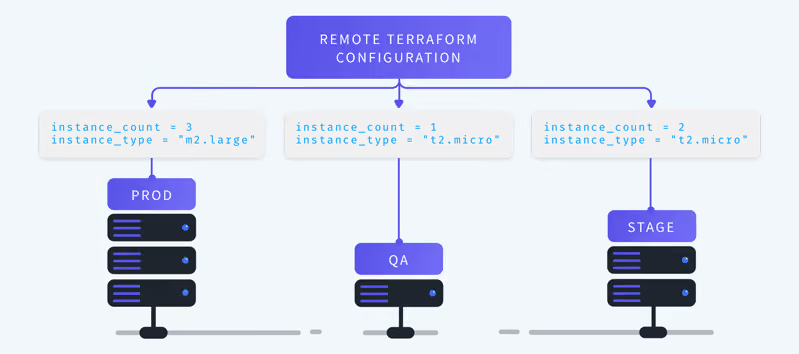
Each one of the environments have multiple components. In a traditional Terraform environment, you would have multiple sets of the same configuration files, that are all almost the same, but you have to edit the specific config info for each of the different environments. With Terragrunt, you can have “remote terraform configurations” where you store the clean terraform files in a separate repo, and then just call on it in remotely from any place you need it, and only put the Terragrunt configs for each specific environment in their corresponding place.
└── live
├── prod
│ ├── app
│ │ └── terragrunt.hcl
│ ├── mysql
│ │ └── terragrunt.hcl
│ └── vpc
│ └── terragrunt.hcl
├── qa
│ ├── app
│ │ └── terragrunt.hcl
│ ├── mysql
│ │ └── terragrunt.hcl
│ └── vpc
│ └── terragrunt.hcl
└── stage
├── app
│ └── terragrunt.hcl
├── mysql
│ └── terragrunt.hcl
└── vpc
└── terragrunt.hcl
This kind of operation can be very helpful when you have a lot of different environments or very complex environments at scale. For more information on Terragrunt, check out our friends at Gruntwork. You can also find them on GitHub.
How do I use Terragrunt in env0?
This is the easiest part! You can set up your templates with your existing Terragrunt repo’s the same way you set up your Terraform repo’s today. Just click Create New Template as you normally would, and then select Terragrunt.
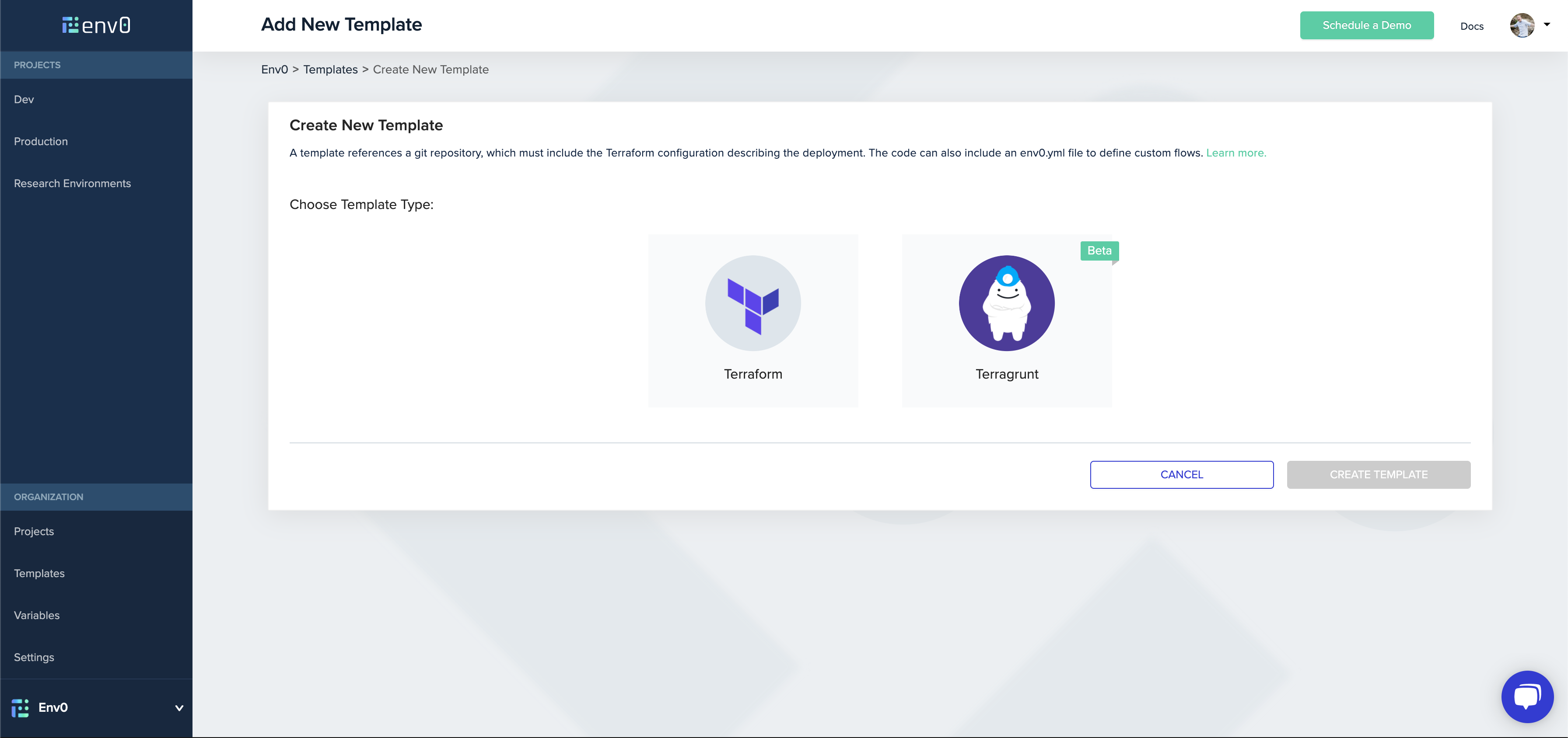
From there, the template creation process is exactly the same as it is with your usual Terraform files. For more info on templates in env0, check out the docs here.
For more content about env0, be sure to follow us on Twitter, LinkedIn, and subscribe to our YouTube channel!

Related Content

Accelerated Migration from HCP Terraform (Terraform Cloud) with env zero Migration Wizard
.avif)

Which IaC Scanning Tool is the Best?: Comparing Checkov vs tfsec vs Terrascan

Full SCIM Provisioning: Group changes now reach env zero without waiting for a login


Terraform Bulk Import: Finding Unmanaged Resources at Scale


Terraform Path Values: path.module, path.root, and path.cwd Explained

Introducing the env zero Free Tier: full-featured IaC orchestration, free forever